Two-column About page
The About page of BelchertownWeather.com has the station's photos, a table of live facts and two small charts on the left, and the story of the station on the right. People often ask how it's done, so here it is, ready to copy. It works with both chart libraries, in light and dark mode, and turns into one column on phones.
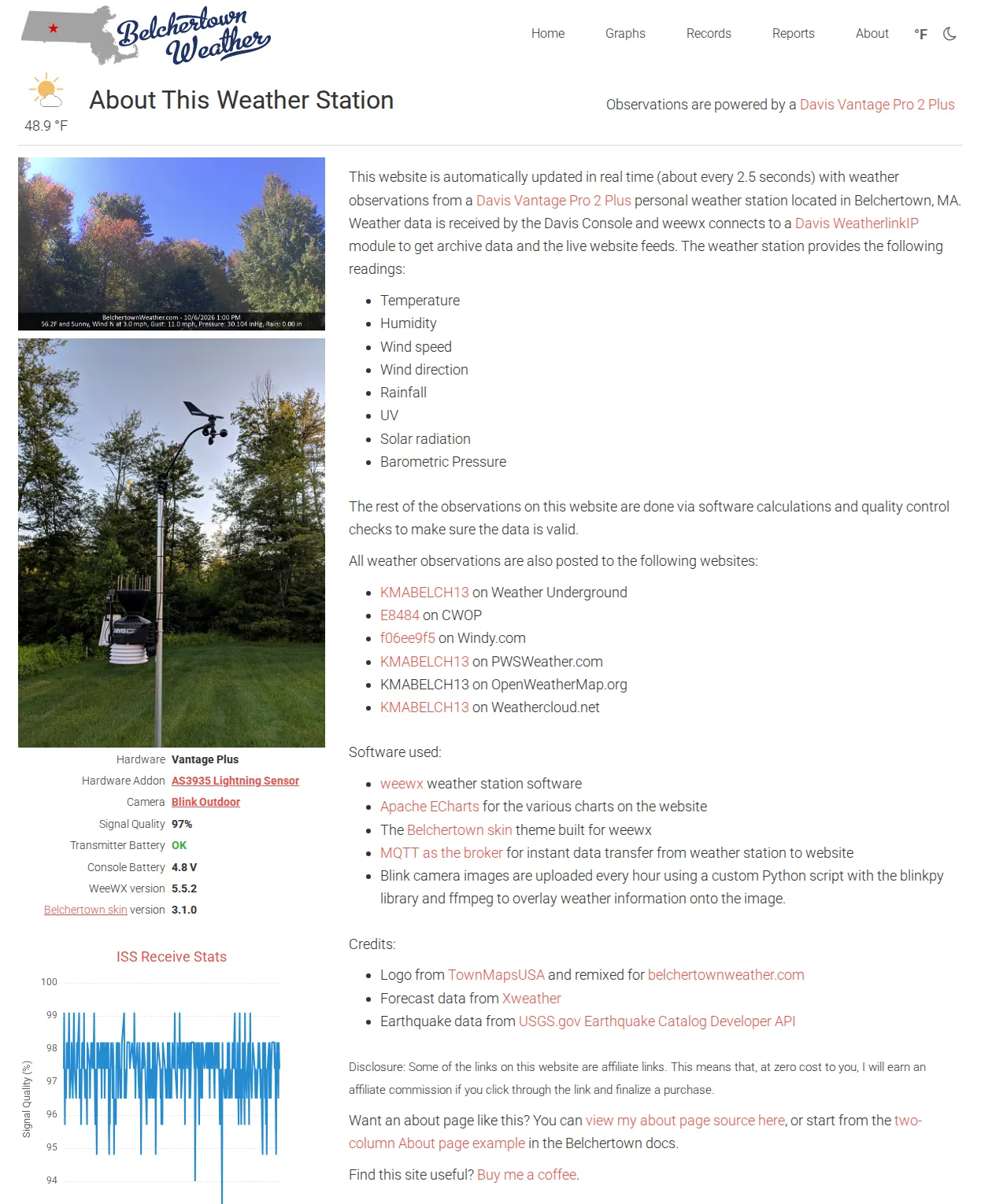
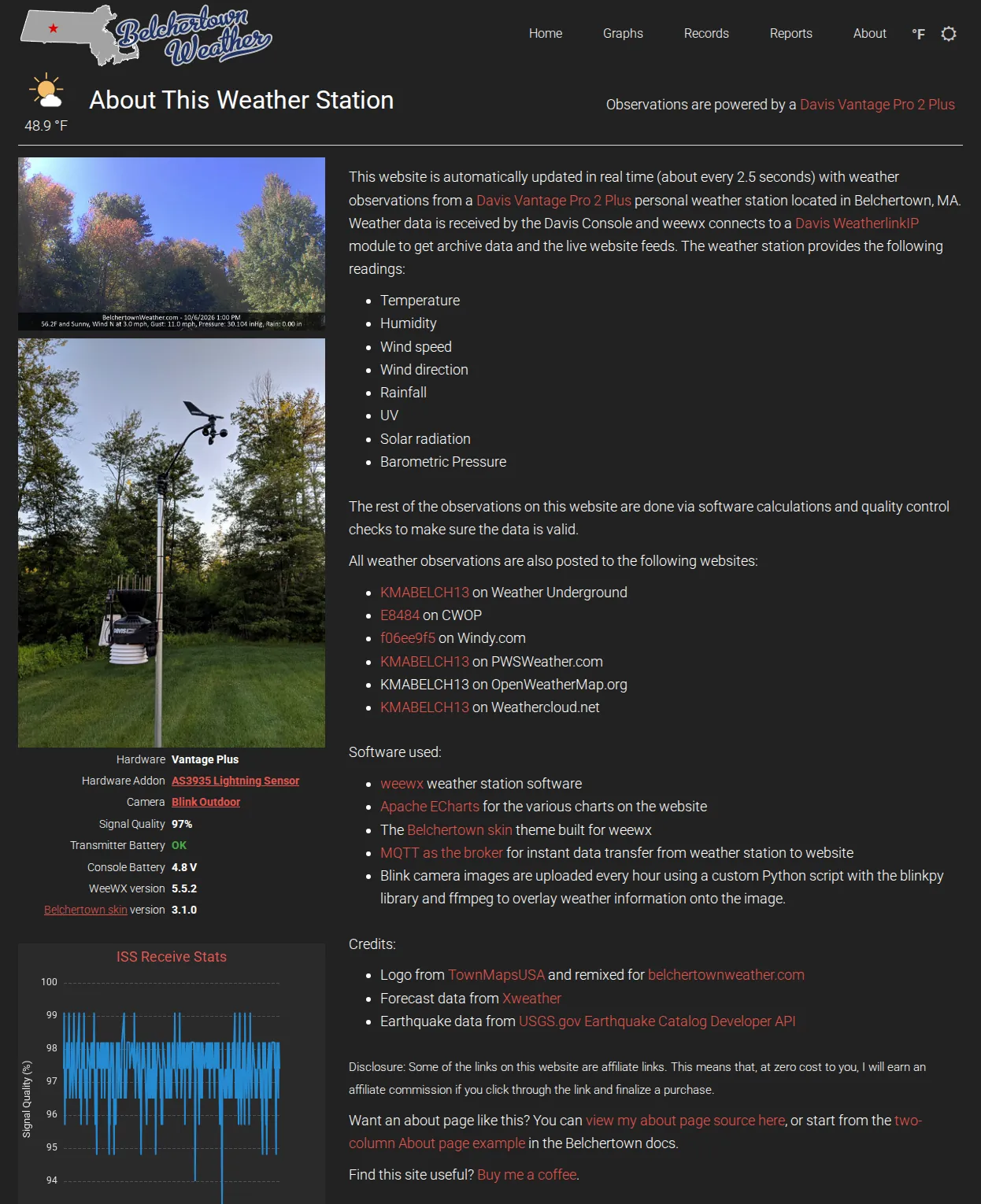
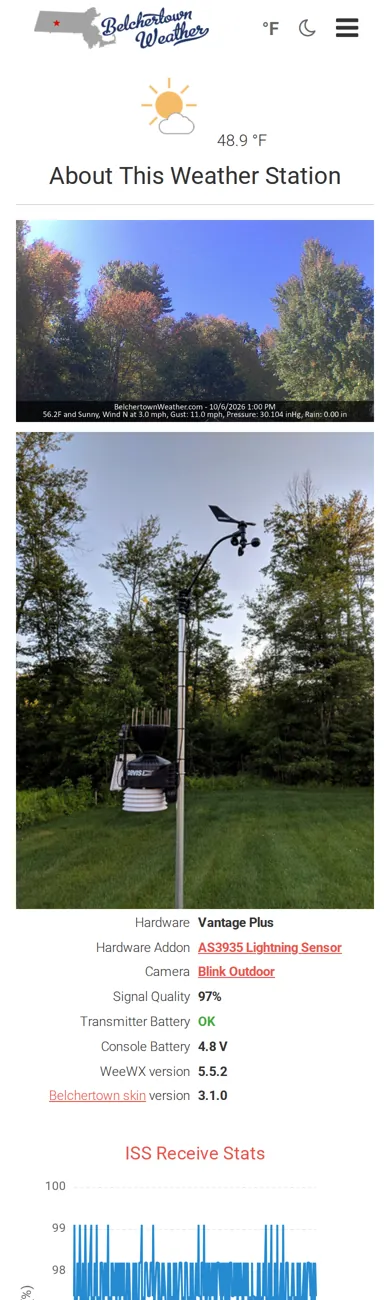
See the real thing
The exact files behind that page, always current, are at belchertownweather.com/source/about.txt: its part of graphs.conf, then its about.inc. The version below is the same layout with the station's own details taken out, so it's easier to start from.
1. Add the charts to graphs.conf
The two small charts on the left come from a chart group called [about]. Open graphs.conf in the Belchertown skin folder (where is it?) and add this at the end:
[about]
    show_button = false
    time_length = 172800
    gapsize = 300

    [[aboutchart1]]
        title = Temperature, Past 48 Hours
        [[[outTemp]]]

    [[aboutchart2]]
        title = Barometer, Past 48 Hours
        [[[barometer]]]
show_button = false keeps it off the Graphs page, and time_length = 172800 is 48 hours in seconds. Chart anything you like here; the chart gallery has ideas. BelchertownWeather.com shows the signal quality of its Davis station instead, with [[[rxCheckPercent]]] (Davis stations only).
2. Make about.inc
Download about-two-column.inc, rename it about.inc and put it in the Belchertown skin folder. Or create about.inc there and paste this in (package install shown):
cd /etc/weewx/skins/Belchertown
sudo nano about.inc
#encoding UTF-8
<style>
    .about-cols { display: grid; grid-template-columns: 1fr 2fr; gap: 30px; margin-top: 15px; }
    .about-cols img { max-width: 100%; margin-bottom: 10px; }
    .about-facts { font-size: 90%; margin: 0 auto; }
    .about-facts td { padding: 4px 8px 0 0; }
    .about-facts td:first-child { text-align: right; }
    .about-facts td:last-child { font-weight: bold; }
    @media (max-width: 800px) { .about-cols { grid-template-columns: 1fr; } }
</style>
<script>showChart("about");</script>

<div class="entry-content about-outer" itemprop="text">
<div class="about-cols">

    <div>
        <a href="https://example.com/webcam/latest.jpg" target="_blank"><img src="https://example.com/webcam/latest.jpg" alt="Webcam"></a>
        <img src="https://example.com/station-photo.jpg" alt="The weather station">
        <table class="about-facts">
            <tr><td>Hardware</td><td>$station.hardware</td></tr>
            <tr><td>Location</td><td>$station.location</td></tr>
            <tr><td>Altitude</td><td>$station.altitude</td></tr>
            #if $day.rxCheckPercent.has_data
            <tr><td>Signal quality</td><td>$current.rxCheckPercent</td></tr>
            #end if
            #if $day.txBatteryStatus.has_data
            <tr><td>Transmitter battery</td><td>#if $current.txBatteryStatus.raw == 0#<span style="color:#44aa44;">OK</span>#else#<span style="color:#aa4444;">LOW</span>#end if#</td></tr>
            #end if
            #if $day.consBatteryVoltage.has_data
            <tr><td>Console battery</td><td>$current.consBatteryVoltage</td></tr>
            #end if
            <tr><td>weewx version</td><td>$station.version</td></tr>
            <tr><td><a href="https://poblabs.github.io/weewx-belchertown/" target="_blank">Belchertown skin</a></td><td>$belchertown_version</td></tr>
        </table>
        <div id="aboutchart1" style="margin-top:30px;"></div>
        <div id="aboutchart2" style="margin-top:30px;"></div>
    </div>

    <div>
        <p>This website is updated automatically with readings from a $station.hardware weather station in $station.location. Tell your visitors a little about it here: where it sits, how long it has been running, and who looks after it.</p>

        <p>The station measures:</p>
        <ul>
            <li>Temperature and humidity</li>
            <li>Wind speed and direction</li>
            <li>Rainfall</li>
            <li>Barometric pressure</li>
        </ul>

        <p>Its readings are also shared with:</p>
        <ul>
            <li><a href="https://www.wunderground.com/dashboard/pws/YOURID" target="_blank">YOURID</a> on Weather Underground</li>
            <li><a href="https://www.pwsweather.com/station/pws/YOURID" target="_blank">YOURID</a> on PWSweather</li>
        </ul>

        <p>Software used:</p>
        <ul>
            <li><a href="https://weewx.com/" target="_blank">weewx</a> weather station software</li>
            <li>The <a href="https://poblabs.github.io/weewx-belchertown/" target="_blank">Belchertown skin</a> for weewx</li>
            <li>#if $chart_library == "echarts"#<a href="https://echarts.apache.org/" target="_blank">Apache ECharts</a>#else#<a href="https://www.highcharts.com/" target="_blank">Highcharts</a>#end if# for the charts</li>
        </ul>

        <p>Credits:</p>
        <ul>
            <li>Forecast from <a href="https://open-meteo.com/" target="_blank">Open-Meteo</a> and alerts from the <a href="https://www.weather.gov/" target="_blank">National Weather Service</a></li>
            <li>Earthquake data from the <a href="https://earthquake.usgs.gov/" target="_blank">USGS</a></li>
        </ul>
    </div>

</div>
</div>
3. Make it yours
Change these parts, then wait for the next report. There's no need to restart weewx.
- The two pictures at the top left: your webcam and a photo of your station. Each
src="..."is a picture's web address. Delete a line to drop that picture. - The facts table fills itself in from weewx. Rows such as signal quality and the batteries only appear when your station reports them. To add a row of your own, copy a
<tr>line:<tr><td>Installed</td><td>May 2019</td></tr>. - The text on the right: your own words about the station, what it measures, and where else its readings go. Replace
YOURIDwith your station's ID on each site, or delete a line you don't need. - The charts:
aboutchart1andaboutchart2must match the names in double brackets in your[about]group, andshowChart("about")must match the group's name.
How it works, if you want to change the layout: the <style> block at the top makes two columns, one third and two thirds wide (1fr 2fr), and switches to one column on screens narrower than 800 pixels. Make it 1fr 1fr for two equal columns.
Coming from an older About page?
Older two-column About pages used Bootstrap's row, col-sm-4 and col-sm-8. Belchertown 3 still shows those correctly, but the layout above does the same with a few lines of its own and nothing extra to load. Copy your text into the right-hand column and your pictures and table into the left-hand one.
More about the About page and weewx tags: About and Records pages.